
Joyagoo QC photos are most useful when you know which question each view should answer. Begin with the order's colour, size and quantity, then inspect visible construction and any detail that would change your decision. A large gallery is not automatically a complete quality check.
Start with identity and visible condition
Check that the pictures show the intended item and option. Look at both sides of a pair, the relevant labels, seams, fastening and any visible damage. Compare like-for-like views rather than judging a product from a flattering angle alone.
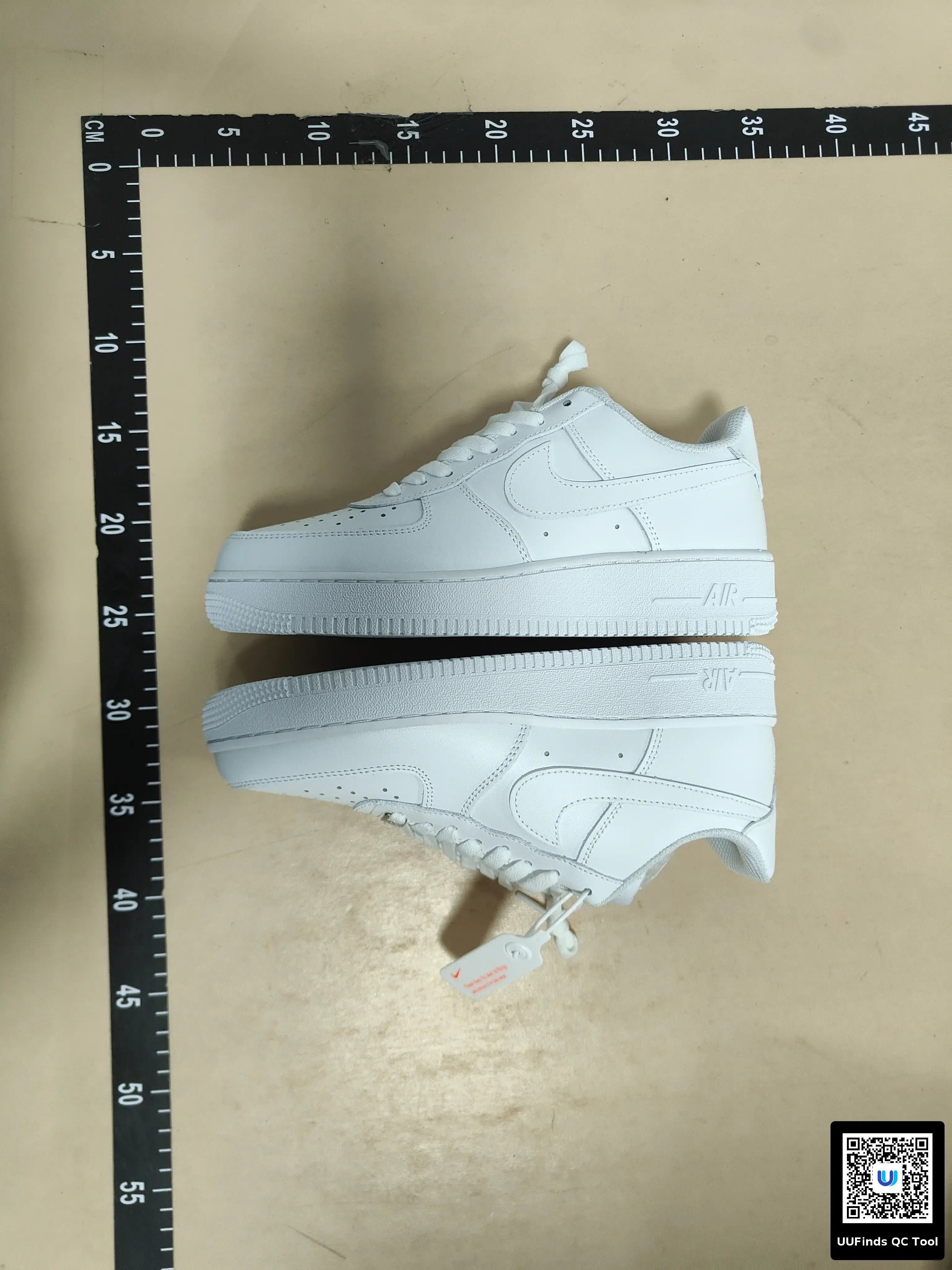
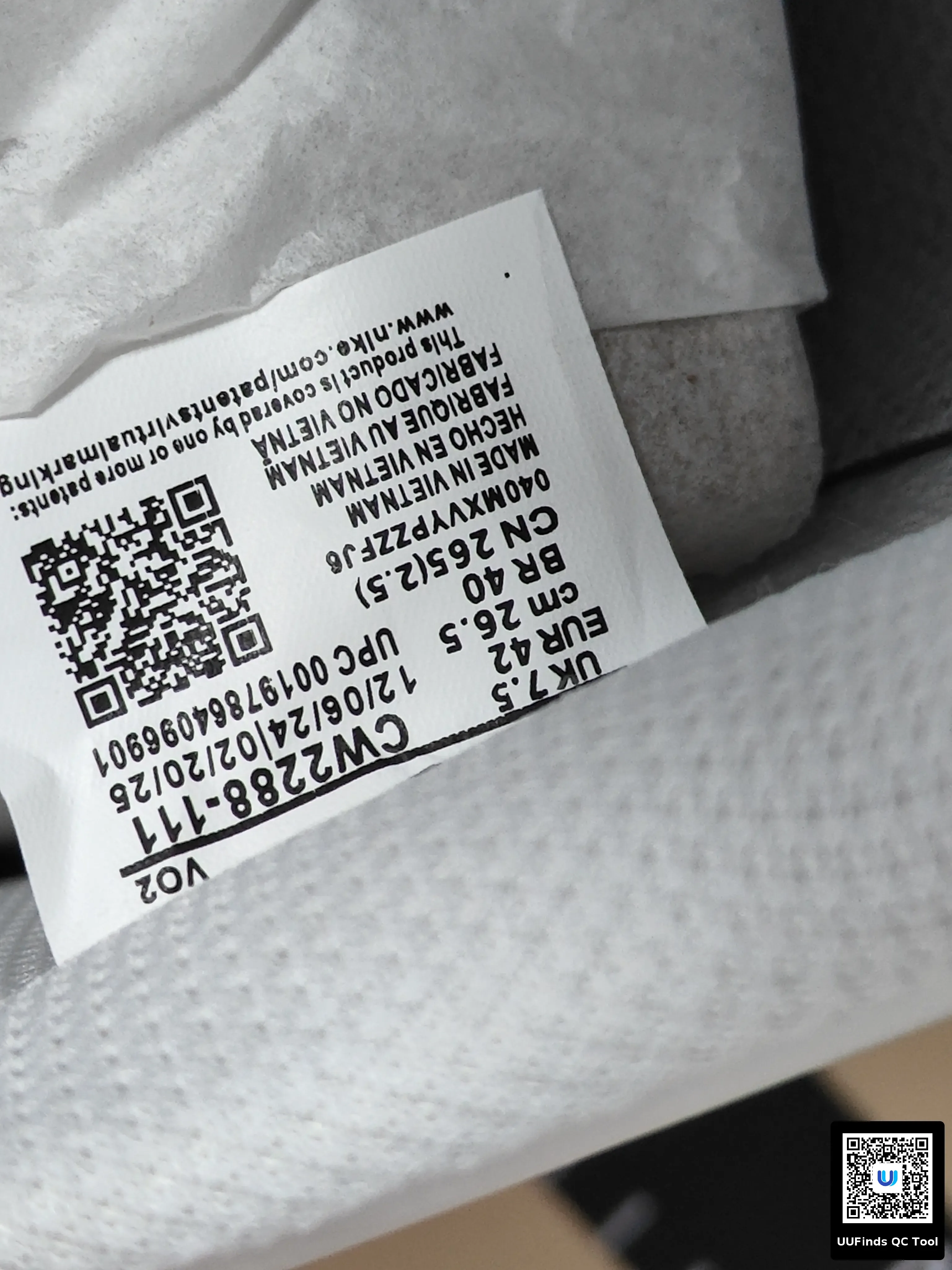
The two public UUFinds references below show a white shoe pair and its size label. They are useful examples for reading visible panels and markings, not a record of your purchase or a confirmed match to an the catalog listing. A label can identify a stated size; it does not measure the inside of the shoe or authenticate the product.
Ask for a specific missing measurement
Instead of asking “is the quality good?”, identify the unresolved point. For a garment, that might be a flat chest or length measurement. For a bag, it might be the opening width or a view of the fastening. State the measurement method so the answer can be compared with something you own.
Joyagoo's QC guidance describes checks of selected clothing size, colour and visible problems. A photograph cannot establish fabric durability, long-term comfort or every hidden defect. “QC completed” describes a stage; it is not a universal quality rating.
QC finder results are reference material
A Joyagoo QC finder or spreadsheet with QC can help you understand a model's visible features. Check whether the source item and variant match before making even that comparison. Public examples should supplement, not replace, the pictures of your own order.
Do not share account screens or shipping labels to make a comparison easier. Retain only the relevant product view when discussing a visible feature.
Electronics and iPhone searches need another standard
First establish whether the offer is an iPhone device, a case, a cable or another accessory. Then separate appearance from function. Joyagoo states that its electronics inspection is visual and does not include power-on testing. A clean exterior and included fittings do not prove battery condition, compatibility or working features.
Battery-containing goods also need a route-eligibility check before parcel submission. Use shipping guidance for that decision. For straightforward visual comparisons, browse the catalog accessories and save the exact option before applying this checklist.
Jerseys: check the selected design and personalisation
Identify the version before comparing prices
Record the season or design, home or away style where relevant, and the version described by the offer. If the seller uses fan or player terminology, inspect the stated cut and measurements rather than assuming those words promise a particular fabric or fit.
Check whether the offer is a shirt alone or a football kit with shorts and other pieces. A picture of a complete outfit can create the wrong price comparison if only one component is included.
Decide on print and patches separately
For a printed name or number, read the available options and spelling before ordering. Confirm whether pictured patches are included or selected separately. If a detail matters to you, retain the chosen option alongside the source link rather than relying on the collection's thumbnail.
Printing visible in QC can help check placement and spelling. It cannot establish how the print will withstand repeated washing. Avoid treating a fresh photograph as long-term performance evidence.
Measure for how you will wear it
Compare the garment's measurements with a shirt that fits your intended use. A fitted training layer and a loose everyday football shirt can need different room even for the same person. For children, measure the current garment or wearer instead of choosing only by the age printed in a listing.